 PTworker.me
Your own setup
Physical therapy software you customize — your menu, calendar, and start page PTworker.me
Most EMRs ship one fixed left rail for every login. PT clinics differ: a front desk therapist wants Reception first; an owner wants Manage; a floater wants calendar colors per building. Below: short answers on how staff set this up themselves after sign-in.
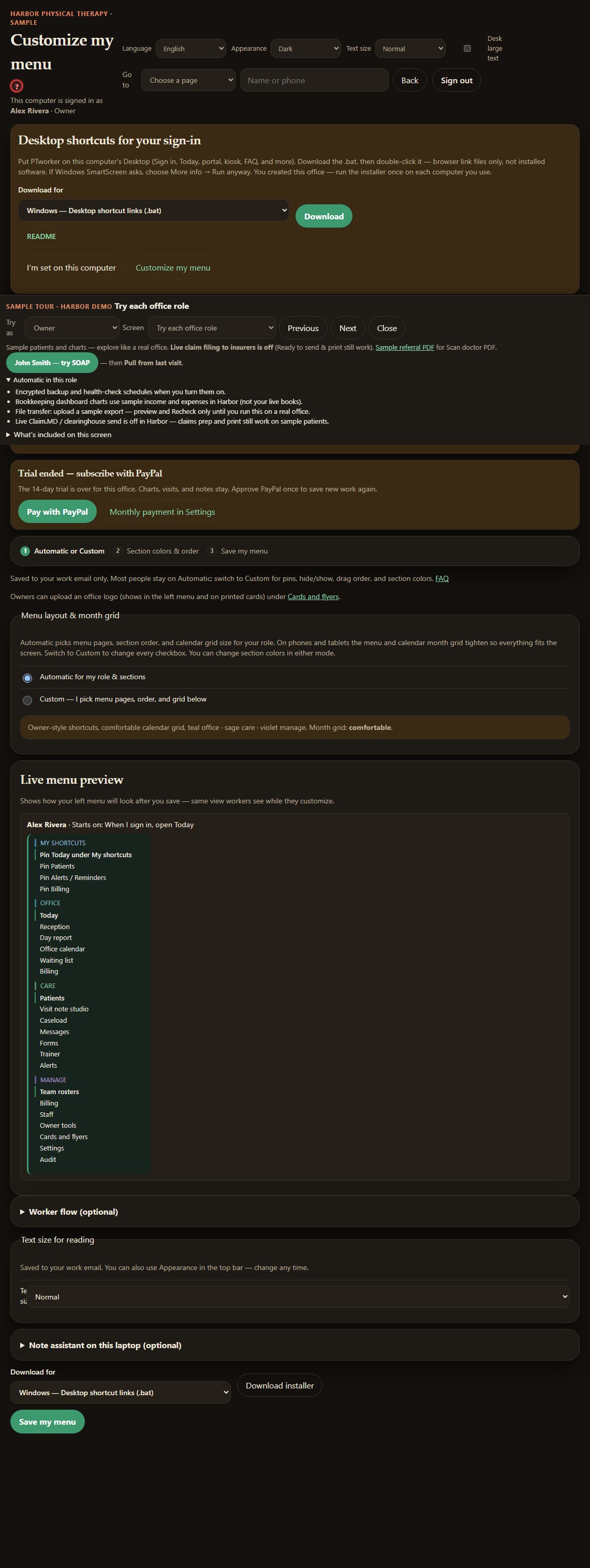
PTworker.me Customize my menu
Questions about customizing PT office software
- Can each person have their own menu without a separate subscription?
- Yes. Unlimited staff logins sit on one $75 office plan. Layout choices save to that work email, not the whole practice. Open Customize my menu (
app.html#/my-layout) or Your account → Customize my menu. - Where do I start after sign-in?
- Pick a start page: Today, Reception, My calendar, Office calendar, Caseload, or role default. Therapists often pin Patients or Visit note studio; desk staff pin Reception. How-to hub
- What is Automatic vs Custom?
- Automatic matches your role and clinic sections (compact month grid on phones). Custom adds pins, hide/show, drag reorder in My shortcuts and each section, your own labels, section accent colors, text size, and compact menu. Reset anytime to role default.
- How do multi-location clinics color the calendar?
- On the same page, Calendar look by location: for All clinics and each clinic name, choose accent (sage, teal, amber, rose, violet, sky) and density (comfortable, compact, spacious). Optional default location when you open Office calendar. Step-by-step walkthrough · FAQ
- Can I hide Billing or Owner tools I never use?
- Yes in Custom mode — for pages your role already allows. Access still comes from the owner on each staff row; hiding only tidies your menu. Billers can show Billing first; therapists can hide Manage entirely.
- Does the owner layout override mine?
- No for personal menu order, colors, and start page. The owner sets which tools each role may open (Staff → access). Your customize page sits on top of that permission list.
- Can I copy my layout to a coworker?
- Yes. Copy my colors, labels, and order on Customize my menu — paste on their page; they click Save my menu. Includes calendar-by-location colors when you set them.
- Is there a demo before we pay?
- 14-day trial on the homepage, or explore Harbor with passkeys on the sample tour. Open
#/my-layoutas owner, desk, or therapist and save — layout sticks to that demo login. - How is this different from “implementations” on enterprise EMRs?
- Enterprise vendors often charge professional services to “configure roles.” PTworker expects the office manager or each user to tune the menu in-app in minutes — same app therapists use for SOAP and scheduling. Easy all-in-one overview
- What else can I customize without IT?
- Per login: reading size, dark/light (this device), calendar default clinic, optional local AI note download. Per practice (owner Settings): disciplines, portal rules, waiting-room TV text, lobby slides, backup paths. Full my menu FAQ
Related: EMR people also ask · Solo & small practice · Staff roles & access