Top 10 best PT scheduling software for outpatient clinics PTworker.me
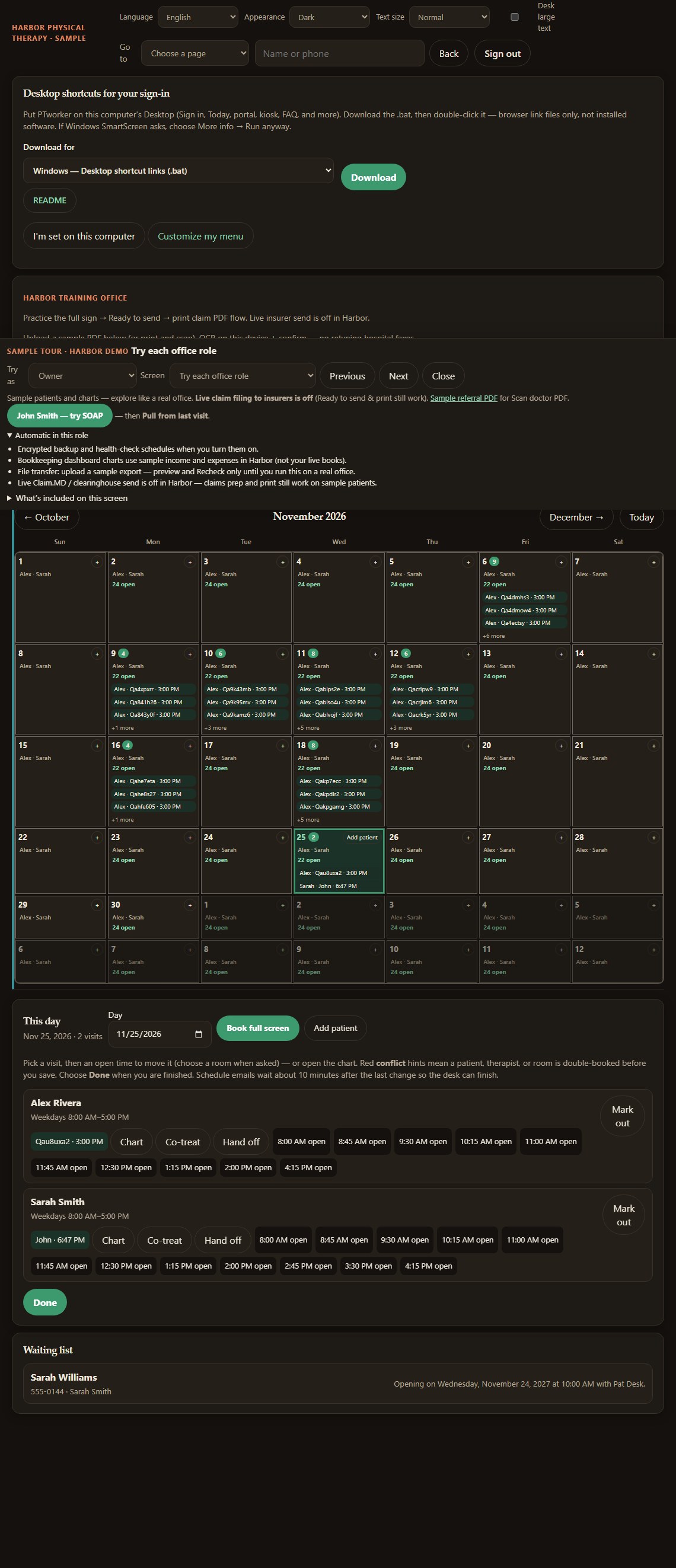
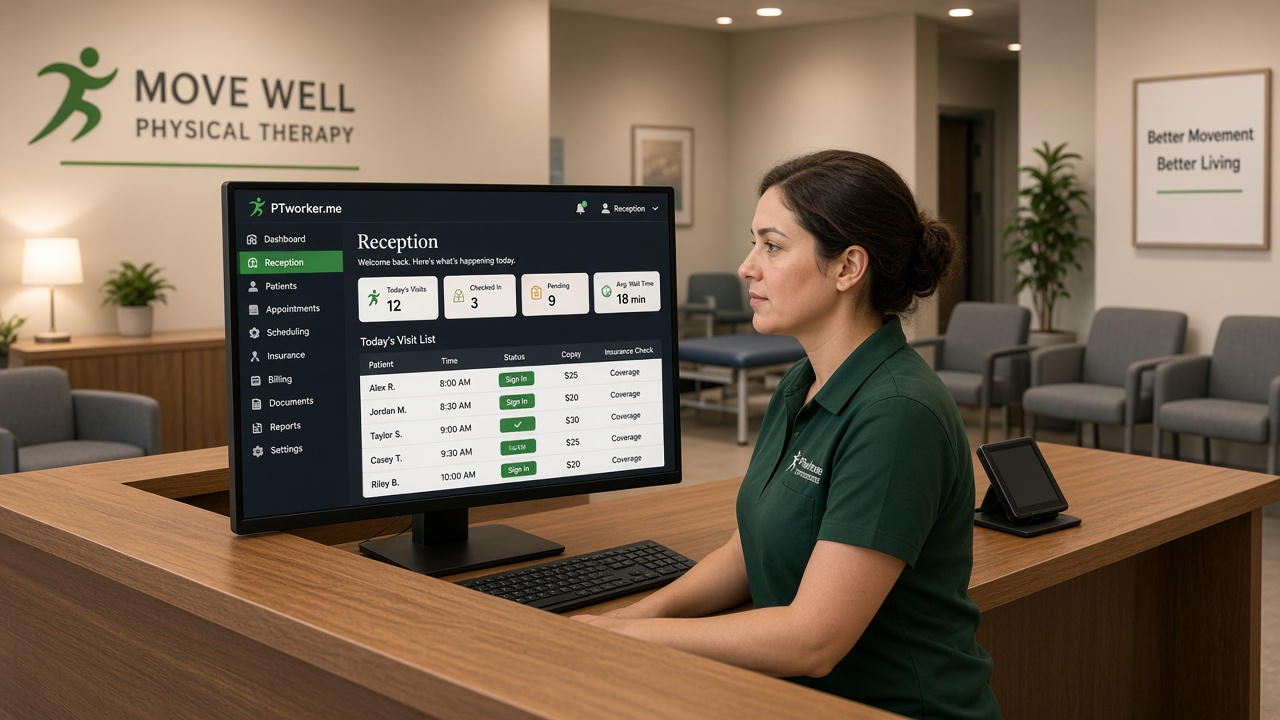
“Best PT scheduling software” usually means the same ten names on G2 and Capterra shortlists, plus whether the calendar, front desk, and patient self-schedule tools survive a real Monday. Below: two paragraphs per product — what it can do, then the questions owners ask before they sign. Screenshots are from the PTworker Harbor demo staff app and portal (real UI captures, not stock photos) so you can see what each scheduling job looks like when it works.
1. PTworker — multi-therapist office calendar on one clinic bill
PTworker is built for the outpatient loop: Office calendar and Reception share one schedule; therapists see Today and My calendar; owners set scheduler guardrails (auth dates, license, supervision). Smart Fill texts waitlist patients when a slot cancels; kiosk and waiting-room display optional. Patient portal schedule requests land in the same calendar staff confirm. All of that rides the same subscription as SOAP and billing handoff — not a separate “scheduling module” fee from PTworker.
Do I pay per therapist for scheduling? No — one office fee plus active-patient meter, not per seat. Can patients book online? Your rules: portal requests, staff confirms. Will it warn if auth is out of dates? Yes — banners when booking or moving visits. Try it:Harbor sample tour · 14-day trial · solo & small clinics.
2. WebPT — desk-heavy scheduling on a familiar outpatient EMR
WebPT is the default name on many “best therapy software” lists. Scheduling lives inside the same EMR therapists use for documentation — front desk builds the day, therapists see caseload views, and marketing modules can add reminders or online tools. Strength: brand recognition and deep PT-specific workflows. Watch the invoice: pricing is often per provider plus add-ons (texts, billing services, implementation).
Is WebPT scheduling enough for a 2-location clinic? Many clinics run it fine; compare whether multi-site filters and desk training time fit your size. What do owners switch on? Seat math when hiring PT #2, billing %, export/migration. WebPT Q&A · Switch without a shutdown week.
3. Jane App — online booking UX clinics know from cash practices
Jane is known for polished patient booking and calendar UX, especially where online self-schedule and card pay matter. Insurance-heavy PT clinics still use it, but confirm payer workflows, therapist seat pricing, and whether documentation depth matches Medicare outpatient needs before you treat Jane as full EMR plus scheduling.
Is Jane “PT scheduling software” or practice management? It is both for many clinics — calendar plus charting plus pay. Will my per-seat bill grow when I hire? Usually yes on common quotes. Jane alternative Q&A · Migrate from Jane.
4. Prompt EMR — automation-forward scheduling for growing MSK clinics
Prompt (Prompt Health) targets outpatient therapy with automation around scheduling, intake, and billing handoff. Multi-therapist calendars, reminders, and operational dashboards are core selling points. Quotes are typically per seat; verify implementation and any billing-service bundle before you count “included scheduling.”
Does Prompt replace my front desk spreadsheet? If configured, yes — but budget trainer time. How does it compare to WebPT on price? Run your headcount through our table. Prompt pricing Q&A.
5. Clinicient Insight — enterprise scheduling for multi-site operators
Clinicient (Insight EMR) shows up when owners want enterprise scheduling, reporting, and billing across several locations. Calendar rules, authorizations, and desk check-in are designed for larger operators — often with sales-led quotes and implementation projects rather than self-serve signup.
Is Clinicient overkill for three therapists? Often yes — unless you need enterprise reporting day one. Can I get a number without a sales call? Rare; compare against flat office pricing. Clinicient Q&A · Clinicient & Raintree hub.
6. Raintree — large-clinic calendar with deep operational tooling
Raintree targets bigger outpatient therapy organizations: multi-discipline scheduling, complex payer rules, and operational analytics. Scheduling ties into billing and compliance workflows built for scale. Pricing tiers and modules vary — treat demo calendars as proof, not contract language.
Single-location clinic on Raintree? Possible but uncommon; verify minimums. Hidden fees? Ask about texts, interfaces, and billing %. Raintree Q&A.
Fusion (including legacy MW Therapy branding) is common on pediatric and multi-discipline shortlists. Scheduling supports recurring series, authorizations, and discipline-specific visit types. Industry comparison pages often cite per-provider tiers — confirm your Fusion quote and any billing-service percentage.
Fusion vs a PT-only scheduler? Fusion wins when you need pediatric workflows; compare seat totals if you are adult outpatient only. Fusion / MW Q&A.
PT Everywhere is frequently quoted around $99 per provider per month on comparison sites (verify your contract). Scheduling and documentation are tuned for therapists who live on phones and tablets between patients. Front-desk tools exist but evaluate whether your reception workflow matches how your team actually checks patients in.
Is PT Everywhere good for scheduling only? It is full EMR — you buy the stack. Migration path?PT Everywhere Q&A · gradual CSV port while old EMR stays read-only.
HENO markets outpatient therapy with scheduling, documentation, and billing in one stack. Comparison pages often cite $149 per provider plus potential billing percentages — read the full agreement. Scheduling features include reminders and operational views aimed at clinics that want RCM bundled.
Do I need HENO for scheduling if I already bill in-house? Only if their calendar plus RCM bundle beats separate tools on total cost. HENO pricing Q&A.
10. TheraPlatform — telehealth slots and lighter outpatient scheduling
TheraPlatform is often listed from ~$39 per provider on comparison roundups — confirm telehealth vs in-person modules. Scheduling emphasizes video visits, patient self-book, and reminders. Insurance-heavy outpatient PT should verify claim prep depth and whether in-clinic desk workflows match your front desk.
Is TheraPlatform “PT scheduling software” for Medicare outpatient? Depends on your payer mix — validate claim and POC workflows, not just the calendar widget. TheraPlatform Q&A.
 PTworker.me Office calendar (live capture)